Monday, 8 April 2013
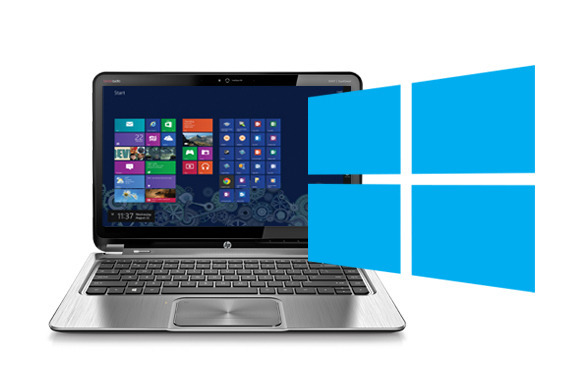
How to uninstall apps in Windows 8
If you're new to Windows 8, I suspect you're finding certain things confusing. (Never mind the lack of a Start button; that's been covered to death.)
For example, if you're using the Metro UI (i.e. the new Start screen with all the tiles), you've undoubtedly installed some apps. That's half the fun, right?
Okay, but what happens when you want to remove an app? It's not immediately obvious. If you pull up the Charms Bar and tap Settings, no help there. If you tap the Change PC settings link, you'll find no uninstaller there either.
Thursday, 4 April 2013
Hands on with Facebook Home and the HTC First smartphone
After spending some time with Facebook Home and the HTC First smartphone, I now have a better understanding at what Facebook is trying to build with its new app designed to replace your phone's home screen.
In a nutshell, Facebook Home and the HTC First, both announced Thursday at an event by Mark Zuckerberg, Facebook's chairman and chief executive, are aimed at people who live their entire lives online—the “social butterflies”—if you will.
So, Home puts Facebook front and center, doing away with the traditional Android interface in favor of a simplified home screen that displays your friends' photos and status updates.
It's all very slick. Home makes Android look and feel much less intimidating by hiding things like the app drawer and notification shade. You can still access these features using simple gestures, but the app drawer is modified to let you quickly update your Facebook status, post a photo, or check in to a location.
Facebook Software Puts It Front and Center on Android Phones
Cellphones have long been Facebook’s Achilles’ heel. With its users flocking to mobile phones by the millions — and many of its newest users never accessing the services on computers at all — the company has struggled to catch up to them.
On Thursday, Facebook unveiled its latest, most ambitious effort to crack the challenge: a package of mobile software called Facebook Home that is designed to draw more users and nudge them to be more active on the social network.
The new suite of applications effectively turns the Facebook news feed into the screen saver of a smartphone, updating it constantly and seamlessly with Facebook posts and messages.
In so doing, Facebook has cleverly, perhaps also dangerously, exploited technology owned by one of its leading rivals, Google. Facebook Home works on Google’s Android operating system, which has become the most popular underlying software for smartphones in the world.
Thursday, 13 December 2012
Galaxy S3 beats iPhone 5 for best device of 2012
Imagine seven of CNET's most senior editors locked in a room, arguing over the course of three days to determine the 100 biggest tech stories of the year for our annual CNET 100 package. We bickered, we pounded coffee, we reminisced, and we wrestled over some big questions -- including which products we considered the hands-down best of 2012.
The question of gadget supremacy intrigued us, so we decided to pull from our list of biggest newsmakers the five best devices of the year as well as the five most influential tech products of 2012. The ongoing battle between Apple and Google played itself out in our best list, with Samsung and its Android-based Galaxy S3 trumping the long-awaited iPhone 5 on a lineup of entirely mobile products. But there's more to the story of tech influence in 2012. Read on.
CNET's five best tech products of 2012
Regardless of popularity or industry impact, these five devices claim the best design, the most-compelling features, and the overall most impressive value among all the hundreds of mainstream tech products released in 2012. Our hats off to all five.
Wednesday, 5 December 2012
Microsoft opens its own social network
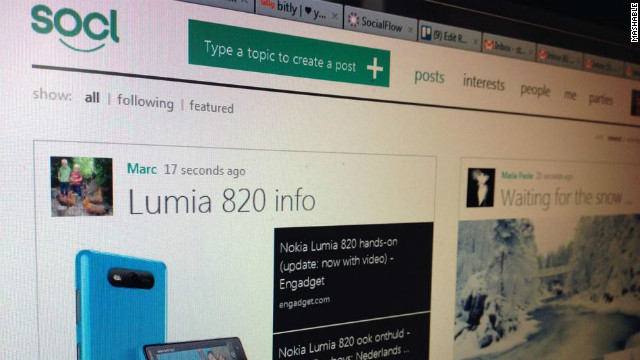
After a long period of closed beta testing, Microsoft made the beta version of its social network, Socl, available to everyone on Tuesday.
Socl initially launched this May. It's a search-meets-social networking website that looks more like Pinterest than Facebook, and has until now been open only to invited Microsoft employees and college students.
Now, everyone with a Microsoft or Facebook account can access it. The sign-up process is effortless -- users simply connect their account with Socl. They can then start sharing content (e.g. photos, videos, links), and comment on other members' posts.
Socl's forever-scrolling front page, which shows posts from all users, can feel a bit random. Also, though the site offers categorization by tags, it's not that easy to find the content you want.
Overall, Socl is a solid time-waster at this point. As more people join, the site should become more usable, but the question is: With all the social networks and content-sharing sites around, will Socl ever reach critical mass?
What do you think? Share your thoughts in the comments below.
Monday, 3 December 2012
How to test-drive Windows 8 for free in VirtualBox
Upgrading to a new operating system can be an intimidating undertaking that massively disrupts your daily workflow. And considering the dramatic interface changes introduced in Windows 8, you may not want to invest in Microsoft's latest OS without first giving it a thorough shakedown.
Fortunately, there's an easy, hassle-free way to test-drive Windows 8. Using a program called VirtualBox and the evaluation version of Windows 8 Enterprise, you can try out the new OS for free, without disturbing your current operating system. Read on—we’ll show you how.
Important considerations
For this project, you'll need to use the evaluation version of Windows 8 Enterprise, which you can download directly from Microsoft at the MSDN Evaluation Center website. There are a few things you should know about the evaluation edition, but you might want to start the download now—at 3.4GB, it will take a while.
Wording on the download page identifies it as “Windows 8 evaluation for developers,” but anyone who has a Microsoft account (such as a free Hotmail or Live account) can download the software and try it out. The download link is at the very bottom of the page. Simply select the 32- or 64-bit version of the operating system, log in, and fill out a brief questionnaire. Just like that, you’re downloading Windows 8!
For Second Opinion, Consult a Computer?
Just how special is Dr. Dhaliwal’s talent? More to the point, what can he do that a computer cannot? Will a computer ever successfully stand in for a skill that is based not simply on a vast fund of knowledge but also on more intangible factors like intuition?
The history of computer-assisted diagnostics is long and rich. In the 1970s, researchers at the University of Pittsburgh developed software to diagnose complex problems in general internal medicine; the project eventually resulted in a commercial program called Quick Medical Reference. Since the 1980s, Massachusetts General Hospital has been developing and refining DXplain, a program that provides a ranked list of clinical diagnoses from a set of symptoms and laboratory data.
And I.B.M., on the heels of its triumph last year with Watson, the Jeopardy-playing computer, is working on Watson for Healthcare.
In some ways, Dr. Dhaliwal’s diagnostic method is similar to that of another I.B.M. project: the Deep Blue chess program, which in 1996 trounced Garry Kasparov, the world’s best player at the time, to claim an unambiguous victory in the computer’s relentless march into the human domain.
Subscribe to:
Posts (Atom)